Best CryptoTerm Alternatives for Windows 11


Asif Mohammad Sovon
Asif Mohammad Sovon, IT Assistant at Bangladesh Air Force and Fileion tech writer, simplifies tech t...
If you are looking for a reliable SSH and terminal emulation tool on Windows 11, you have probably already come across CryptoTerm. It is a free-to-use package from JT-Soft that bundles a terminal emulator, an FTP client, and a batch SFTP client into one application. It handles SSH, SSL, TLS, Telnet, and even IBM Mainframe connections through TN3270. For personal use, it works well.
But CryptoTerm is not for everyone. Its interface feels dated, it is Windows-only, and its feature set can feel limiting for users who need cloud sync, team collaboration, or a more modern workflow. So, if you are ready to explore what else is out there, this guide covers the top five CryptoTerm alternatives for Windows 11, including both free and paid options.
Top CryptoTerm Alternatives Worth Trying on Windows 11
Each tool below solves a slightly different problem. Some are lightweight and free. Others are powerful and enterprise-ready. Pick the one that fits your workflow.
1. PuTTY
PuTTY is the most widely used free SSH client for Windows. It is open-source, lightweight, and maintained by a group of volunteers. The latest release, PuTTY 0.83, adds support for a second post-quantum key exchange algorithm, ML-KEM, along with several bug fixes from the previous version.
PuTTY supports SSH-2 for encrypted remote connections and offers local, remote, and dynamic port forwarding to access internal services through SSH tunnels securely. It also supports Telnet, Raw TCP, and serial connections, which makes it useful not just for servers, but also for network hardware and embedded systems.
The main limitation is well-known: PuTTY has no tabbed interface. Each session opens in a separate window. That alone pushes many users to look for something else when managing multiple servers.
This one suits users who want a fast, no-frills SSH tool with zero cost and no installation baggage.
PuTTY is completely free and open-source software. There is no purchase price, licensing fee, or subscription required to use it, and it is available for Windows, Unix, and other platforms.
Rating:
MS Store: 4.6/5
G2: 4.5/5
2. MobaXterm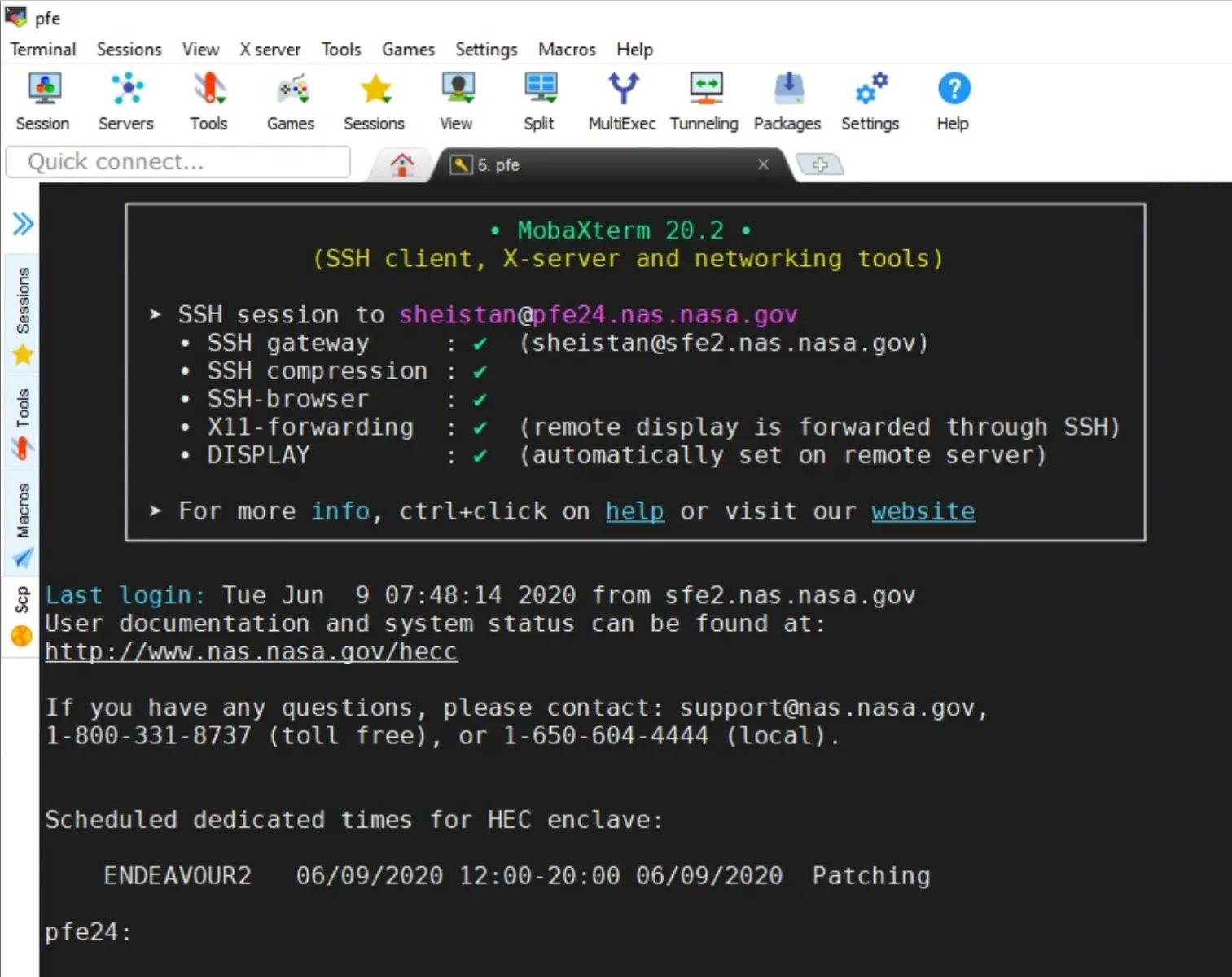
MobaXterm is a step up from PuTTY in almost every way. It is remote desktop software for Windows with an X11 server that provides networking tools such as SSH, VNC, MOSH, and FTP, along with Unix commands in a single portable executable.
Its multi-tab interface enhances productivity by allowing multiple sessions within a single window. It also includes a built-in SFTP browser, session management, and customizable macros, making it a powerful choice for complex remote operations.
If you are a developer or sysadmin who wants everything in one window, MobaXterm is one of the strongest free options available today.
MobaXterm is efficient for IT professionals and developers who need multi-protocol support and a built-in X server on Windows.
The free Home edition supports up to 12 sessions and 4 SSH tunnels. For commercial work with no session limits and additional customization options, the Professional edition is available as a paid license. That comes at $69 per user as a one-time purchase.
Rating:
Capterra: 4.7/5
G2: 4.6/5
3. Termius
Termius takes a completely different approach. Its cross-platform sync means whether you are on macOS, Windows, or pulling out your phone to check something quickly, the interface feels the same.
With the free Termius Starter plan, you can connect from your mobile and desktop with SSH, Mosh, Telnet, Port Forwarding, and SFTP, and work in several sessions simultaneously with a multi-tab interface and split-view support.
Beyond the free tier, paid plans unlock encrypted vaults for team credential sharing, FIDO2 MFA, AI-powered autocomplete, and session sharing for real-time collaboration. For solo developers, the free plan is genuinely capable. For teams, the paid tiers add security and coordination features that most other clients do not offer at all.
One thing to note, advanced features are subscription-based. If you only need basic SSH access on a single machine, the free tier is enough.
It works better for developers and DevOps engineers who work across multiple devices or collaborate with a team. The pro tier begins at $10/month, paid annually. The Business plan charges up to $30/month, paid annually.
Rating:
Capterra: 4.6/5
Google Play Store: 4.6/5
4. SecureCRT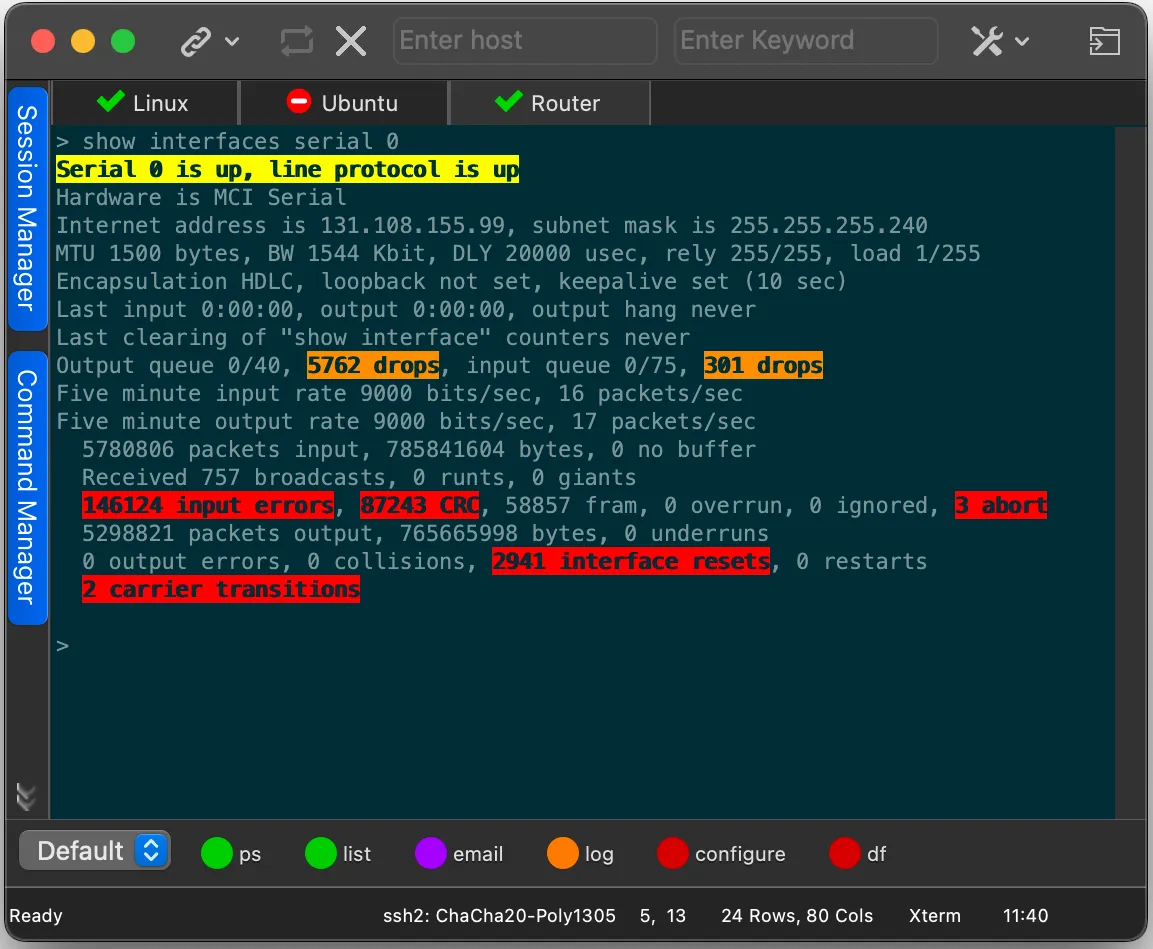
SecureCRT is a commercial SSH and terminal emulation client developed by VanDyke Software. It provides secure remote access, file transfer, and data tunneling, with advanced session management and scripting support using Python, VBScript, and JScript. Regular expressions can highlight strings like IP addresses in session output.
SecureCRT supports advanced SSH features including public key authentication, X.509 certificates, smart card (PIV/CAC) support, X11 forwarding, and tunneling of other protocols. It provides 128,000-line scrollback and unlimited logging capabilities.
It runs on Windows, macOS, and Linux, so you can standardize a single tool across your entire organization. The learning curve is moderate, but once configured, it handles hundreds of sessions without friction.
The only real downside is cost. A commercial license is not cheap, and some users find the per-version licensing model restrictive. That said, VanDyke provides technical support even during the evaluation period, which is a rarity in this space.
This tool is best for enterprise teams and network administrators who need a stable, scriptable, and compliance-ready terminal client.
There are multiple pricing options, starting at $119/client with 1-year updates. You can explore it with more details here.
Rating:
Capterra: 4.6/5
G2: 4.8/5
5. Xshell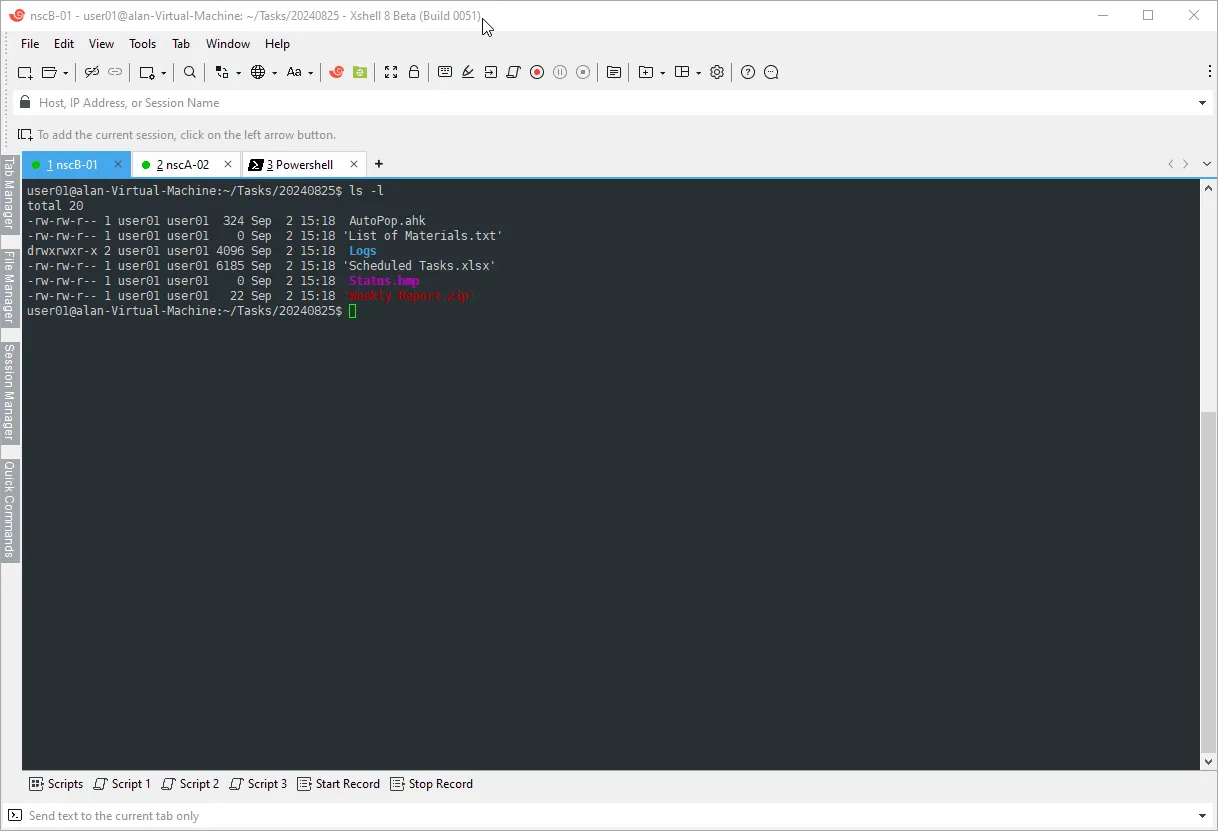
Xshell from NetSarang Computer is a professional-grade terminal emulator that is also available free for non-commercial users. NetSarang offers free licenses for home and school use, free of advertisements or spyware, with no tab limits for free users.
Xshell Free supports SSH1, SSH2, SFTP, Telnet, Rlogin, and Serial connections. It includes terminal emulations for VT100, VT220, VT320, ANSI, XTERM, SCOANSI, and Linux. Scripting with VBScript, JScript, and Perl is supported for automation.
The tabbed interface, compose pane, keyword highlighting with regular expressions, and integrated session manager make Xshell a strong tool for managing many servers. Commercial pricing starts at $119 for a single-user license.
This app works out fine for IT professionals and students who want a commercial-level SSH client without paying for home or educational use.
Rating:
CNET: 4.3/5
G2: 4.4/5
Quick Comparison
ToolPricePlatformsTabsSFTPScriptingPuTTYFreeWindowsNoSeparate toolNoMobaXtermFree / PaidWindowsYesBuilt-inMacrosTermiusFree / SubscriptionAll platformsYesBuilt-inSnippetsSecureCRTPaidWin, Mac, LinuxYesBuilt-inPython, VBScriptXshellFree (home) / PaidWindowsYesBuilt-inVBScript, JScript
Final Verdict
There is no single best tool for everyone. Your choice depends on what you actually do.
If you are a student or hobbyist looking for a simple, no-cost SSH client, PuTTY or Xshell Free will cover your needs. If you work with multiple servers and want everything organized in one application on Windows, MobaXterm is hard to beat at its price. If you move between devices daily or work in a team, Termius offers the most modern and flexible experience. And if you are in an enterprise environment with scripting, compliance, and long-term stability requirements, SecureCRT justifies its cost.
That said, before you switch, it is worth testing the original. CryptoTerm is available as a free download from Fileion, and as documented in hands-on testing, it is a stable, secure, and surprisingly capable tool that handles SSH, SFTP, and even IBM Mainframe connections without extra software. If it fits your workflow, there is no reason to move on.
FAQ
What is CryptoTerm used for?
CryptoTerm is a terminal emulation package that supports SSH, SSL, TLS, Telnet, and serial connections. It also includes an FTP and SFTP client, making it useful for secure remote access and file transfer on Windows.
Is PuTTY better than CryptoTerm?
PuTTY is simpler and more widely supported, but it lacks a tabbed interface and does not include a built-in SFTP file manager. CryptoTerm bundles more tools in a single package, which can be more practical for users who need terminal access and file transfer in one place.
Is MobaXterm completely free?
MobaXterm has a free Home edition that supports up to 12 saved sessions and 4 SSH tunnels. For unlimited sessions and additional enterprise features, a paid professional license is required.
Does Termius work on Windows 11?
Yes. Termius is available on Windows 11 through the Microsoft Store and the official Termius website. It also runs on macOS, Linux, iOS, and Android, with settings and credentials syncing across all platforms.
Is Xshell free for commercial use?
No. Xshell offers free licenses only for home and school use. Commercial users need to purchase a license, which starts at $99 for a single seat.
Which CryptoTerm alternative is best for enterprise use?
SecureCRT is the strongest choice for enterprise environments. It offers advanced scripting, smart card authentication, and unlimited session management with professional technical support from VanDyke Software.
Can I use CryptoTerm on Windows 11?
Yes. CryptoTerm is compatible with Windows 11 and can be downloaded from Fileion for free for personal use.
Comments
Let us know about your thoughts
Explore more articles related to CryptoTerm
Here you will find all the latest tips and tricks about CryptoTerm. Also you will get many solution of problems which you may face while using this app.

Published at: Apr 18, 2026
How to Automate Mainframe Tasks Using CryptoTerm Scripting
Repetitive mainframe tasks eat up hours every week. Logging in, navigating menus, pulling reports, and entering...
Published at: Apr 24, 2026
Best CryptoTerm Alternatives for Windows 11
If you are looking for a reliable SSH and terminal emulation tool on Windows...


Your Universal Gateway to Secure Systems.
A secure all-in-one terminal emulator and encrypted FTP client for accessing and transferring files across diverse systems, from desktop OS to mainframes, all through a single, unified interface.